
Savings goals
A holiday fund, a house deposit, the cost of a new baby. Create the goal, link it to a savings wallet, and progress moves on its own every time that wallet’s balance grows.
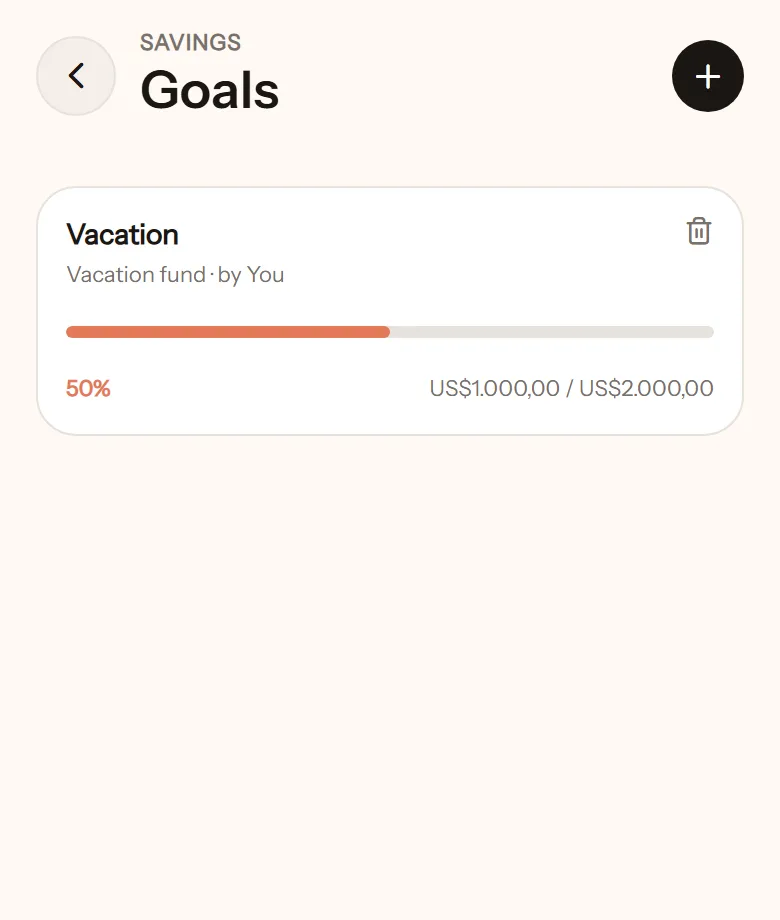
Create a goal
Section titled “Create a goal”- Open Goals from the home screen, tap +.
- Give it a name, such as Holiday fund.
- Enter the target amount.
- Pick the linked wallet. This wallet’s balance counts as progress. If there is none yet, create a savings wallet from there.
- Tap Create goal.
Whether a goal is shared or personal follows its linked wallet. A private wallet makes a personal goal; a shared wallet makes it visible to everyone in the space.
How to save into it
Section titled “How to save into it”There is no special button. Move money into the savings wallet with a transfer, or log income straight into it. The goal’s progress goes up.
When it is reached
Section titled “When it is reached”There is a small celebration in the app, and a Goal reached notification. Mark it done once the money is spent, or leave it as a keepsake.
Who can delete it
Section titled “Who can delete it”Only whoever created it, same as budgets.