Notifications
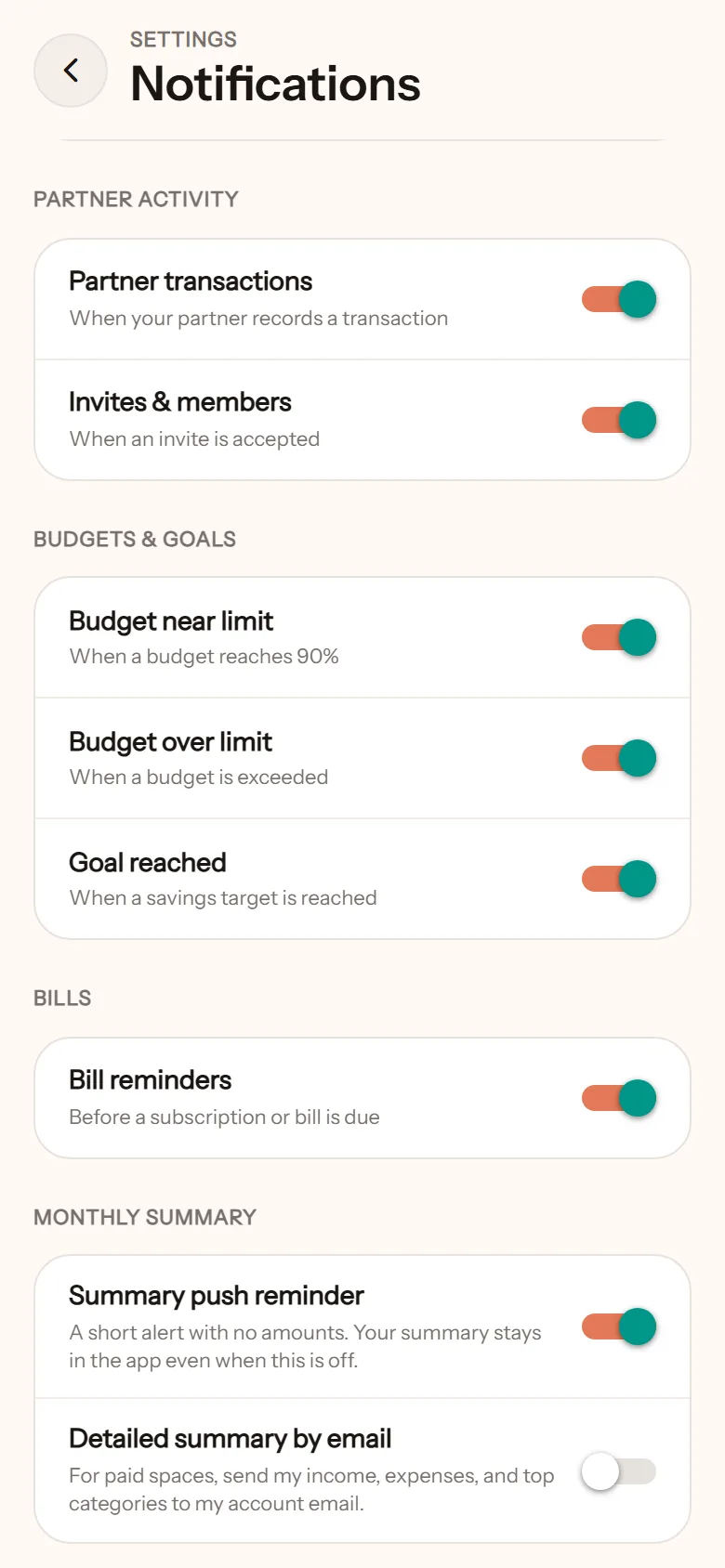
Notifications in NotoArta follow one rule: amounts never show on the lock screen. Only the event shows. The number appears once the app is open.
| Notification | When |
|---|---|
| Partner transactions | When your partner logs a transaction. It reads “{Name} logged a new transaction”. |
| Invites & members | When your invite is accepted. |
| Budget near limit | When a budget reaches 90%. |
| Budget over limit | When a budget is exceeded. |
| Goal reached | When a savings target is reached. |
| Bill reminders | Before a bill is due. |
| Monthly summary | When a cycle ends. A short notice, no amounts. |
Each can be switched off individually in Settings, then Notifications.
The in-app inbox
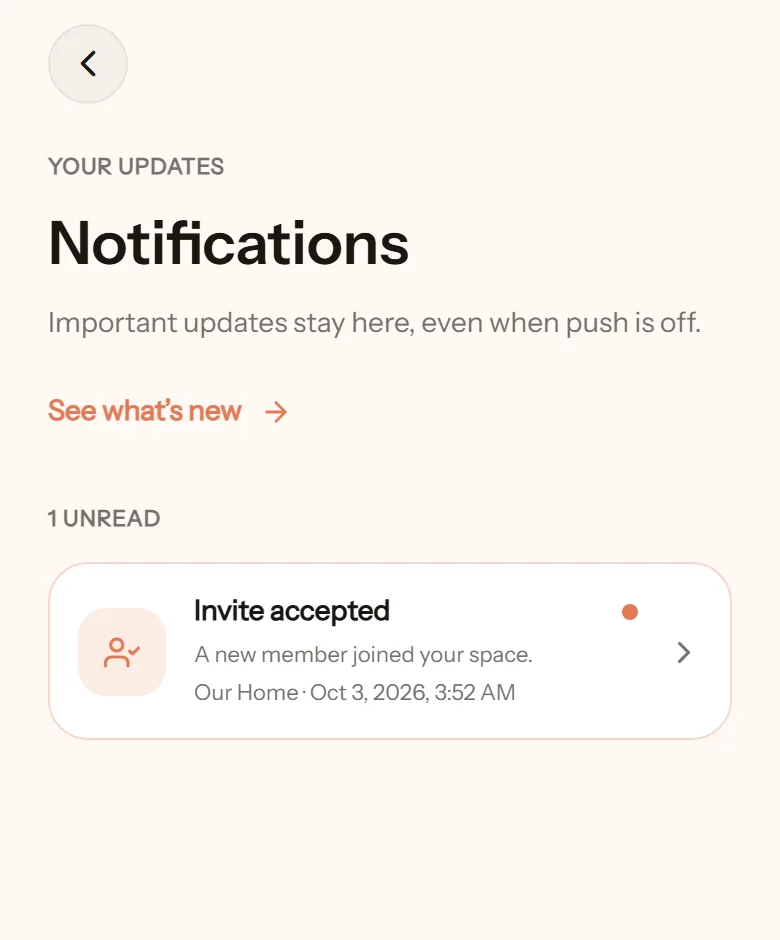
Section titled “The in-app inbox”Important notices stay under the notification icon on the home screen, even with push turned off. The monthly summary opens from there too.
If notifications do not show
Section titled “If notifications do not show”- iPhone or iPad: notifications only work after NotoArta is added to the home screen and opened from there.
- Blocked: if you once declined permission, allow it again in your browser’s settings for this site.
- Browser not supported: try another browser, or add it to the home screen.