Add to your phone's home screen
NotoArta runs in your phone’s browser, so there is nothing to download from an app store. But it is nicer on the home screen: one tap to open, full screen, and notifications work.
iPhone and iPad (Safari)
Section titled “iPhone and iPad (Safari)”-
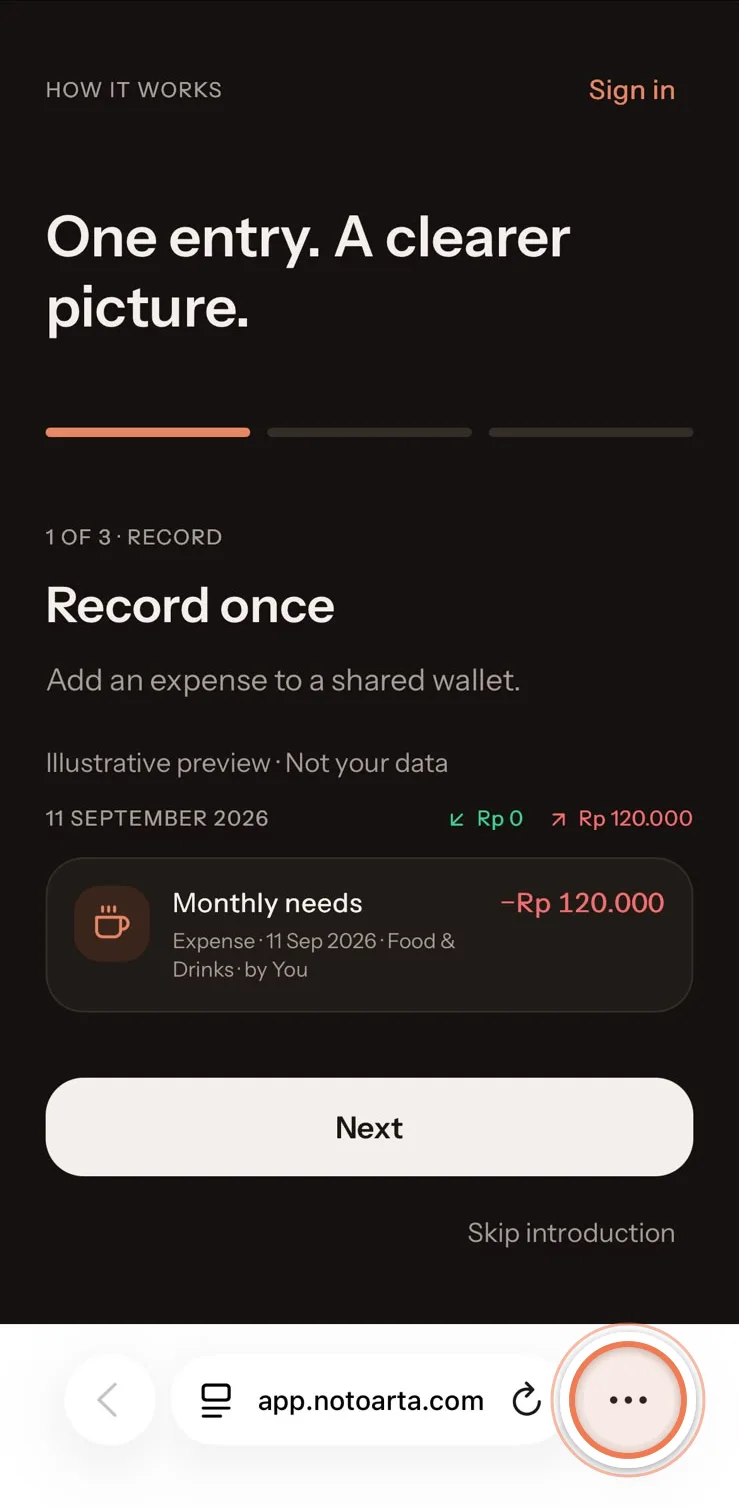
Open app.notoarta.com in Safari, then tap the ••• button at the bottom right.
-
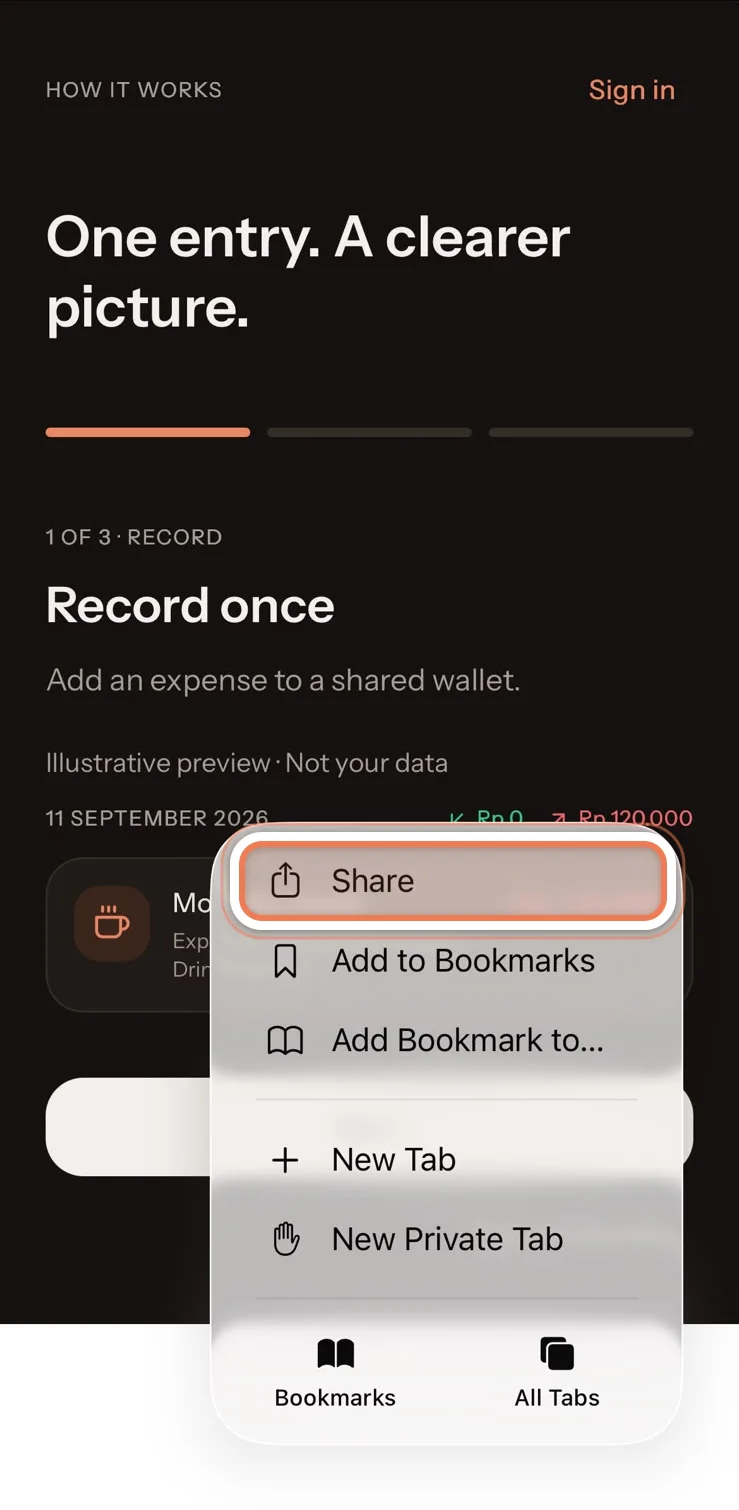
Tap Share.
-
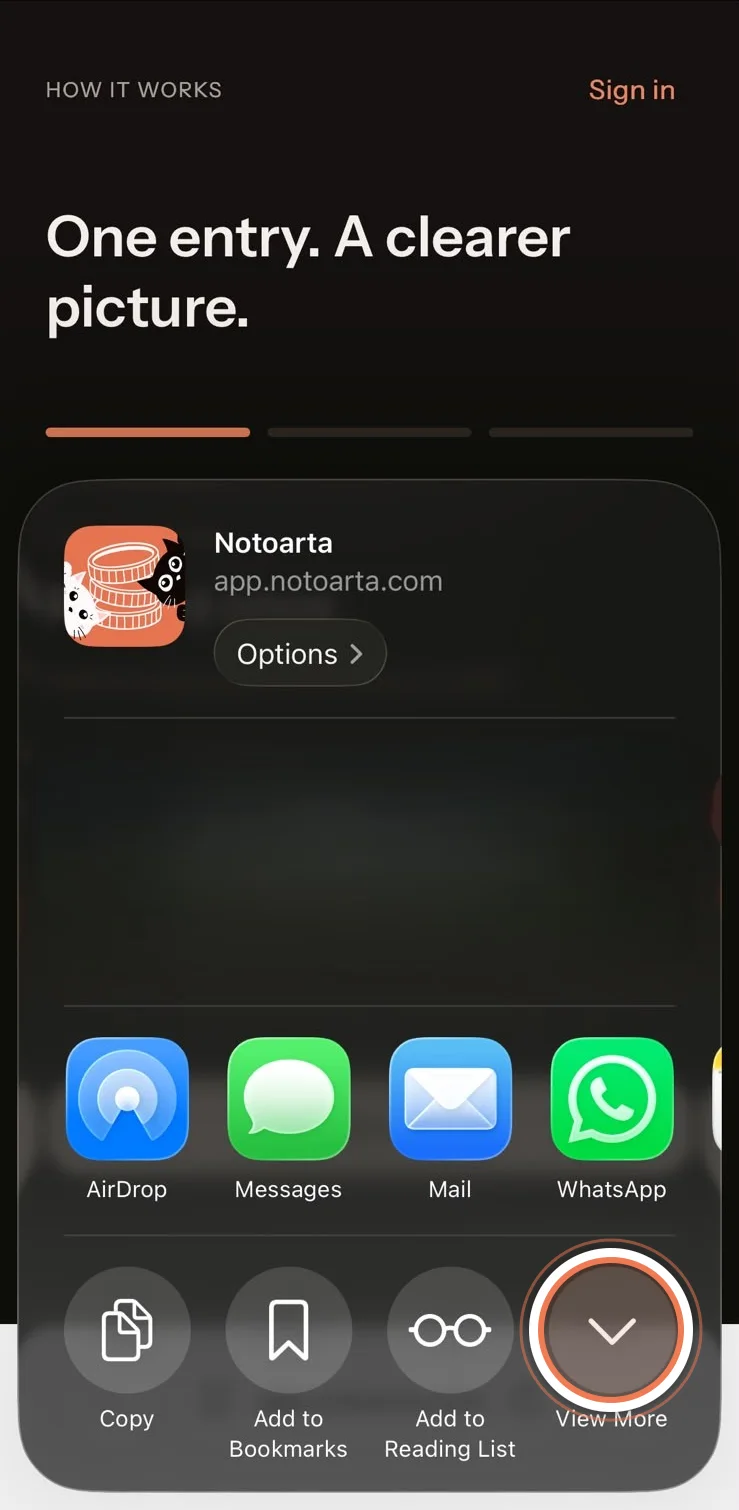
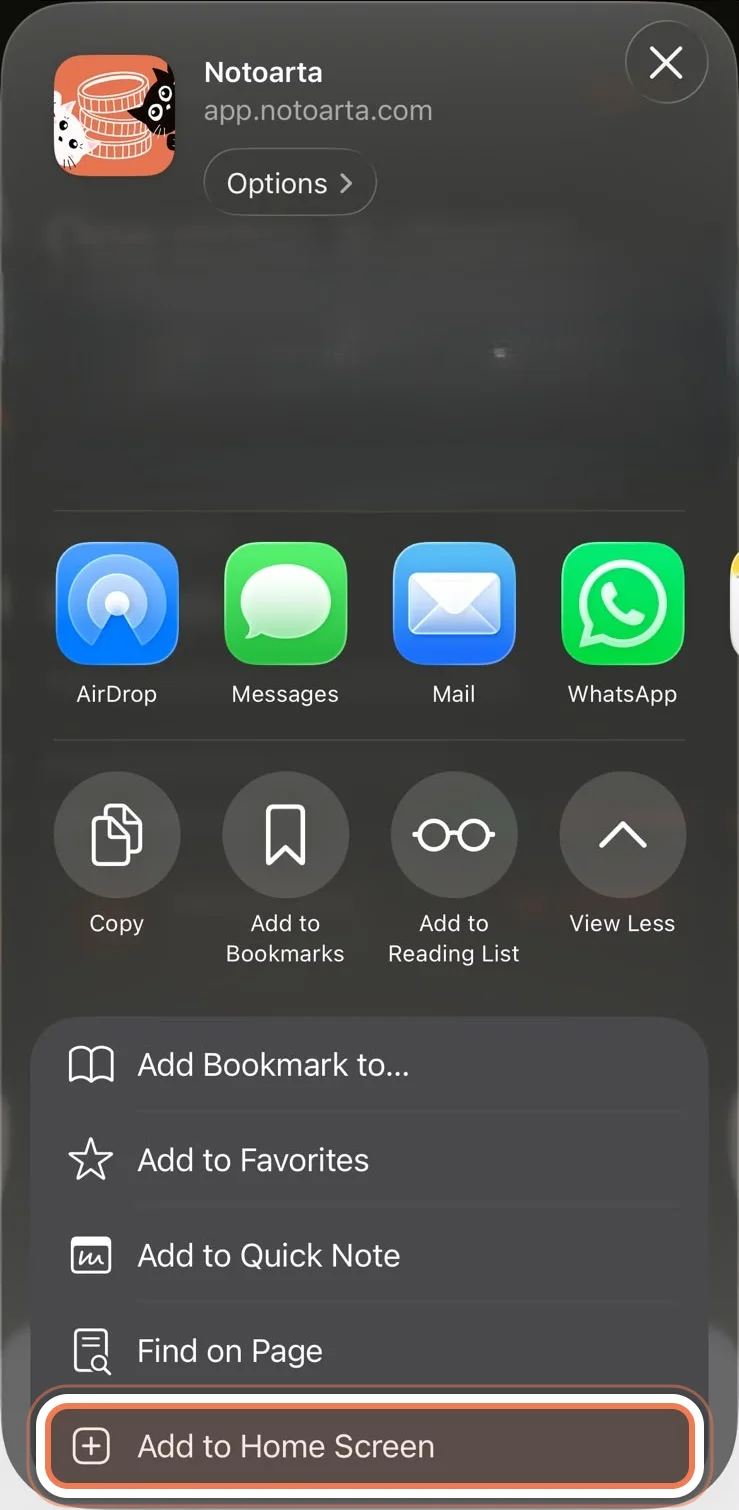
In the sheet that opens, tap View More so every option shows.
-
Tap Add to Home Screen. If you don’t see it yet, scroll the list down.
-
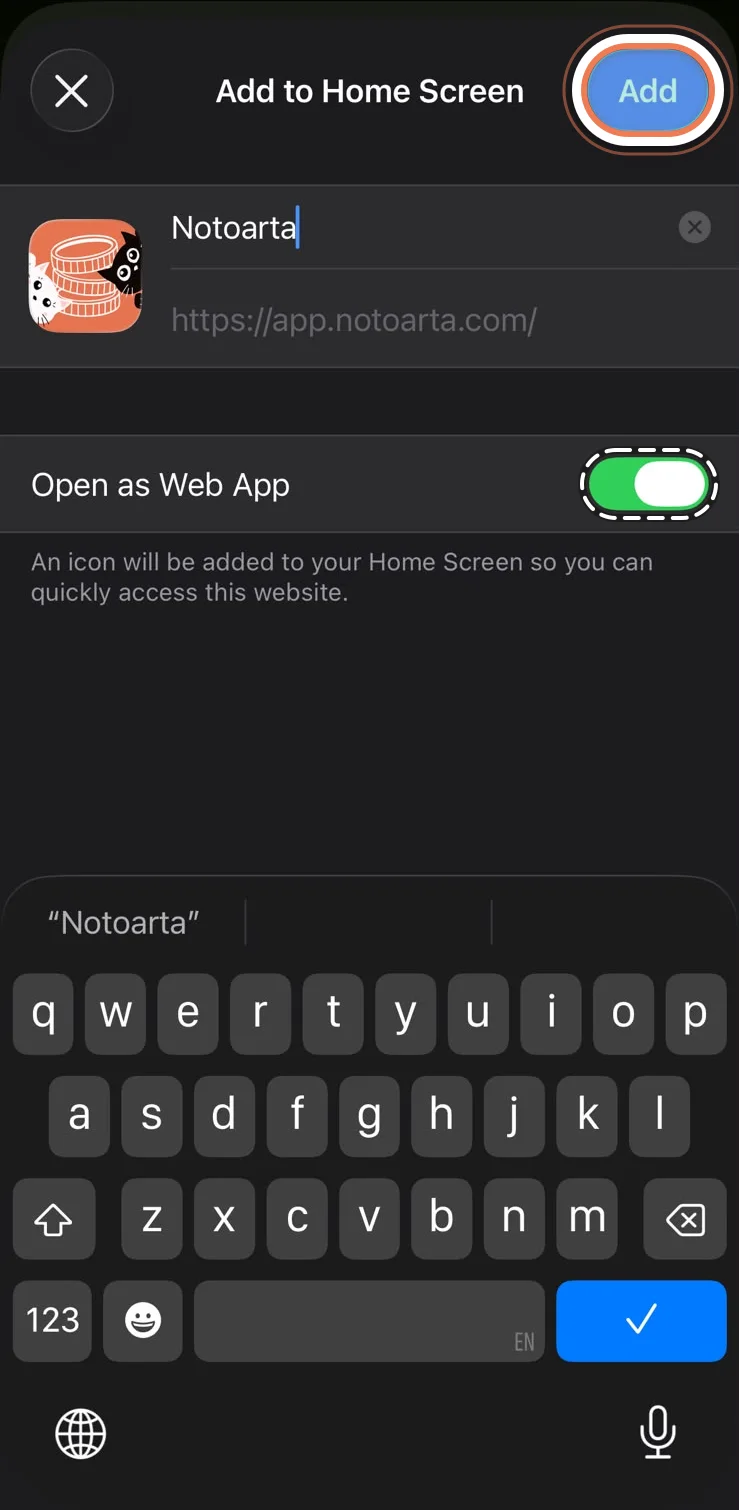
Leave Open as Web App switched on, then tap Add at the top right.
-
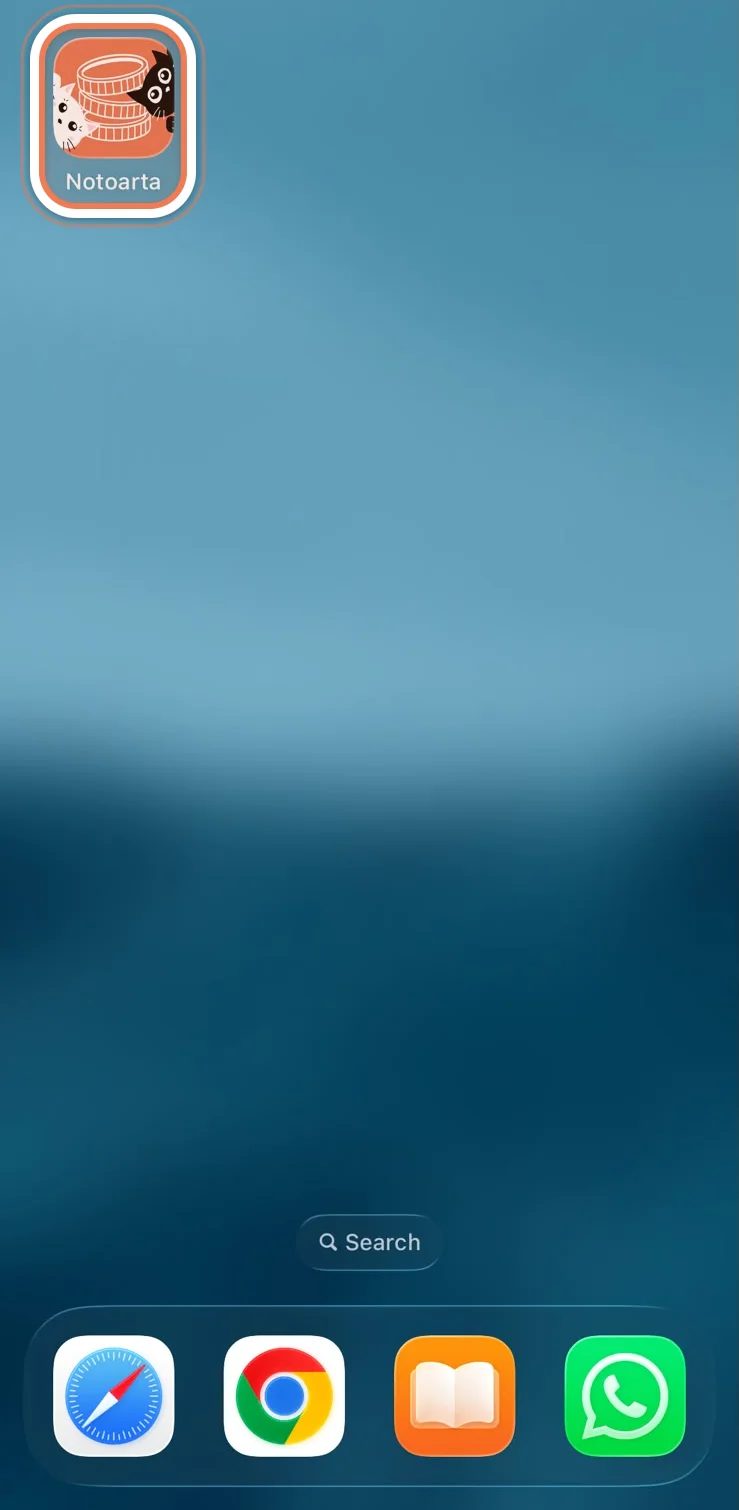
Done. The NotoArta icon is on your home screen. From now on, open it from there.
Android (Chrome)
Section titled “Android (Chrome)”-
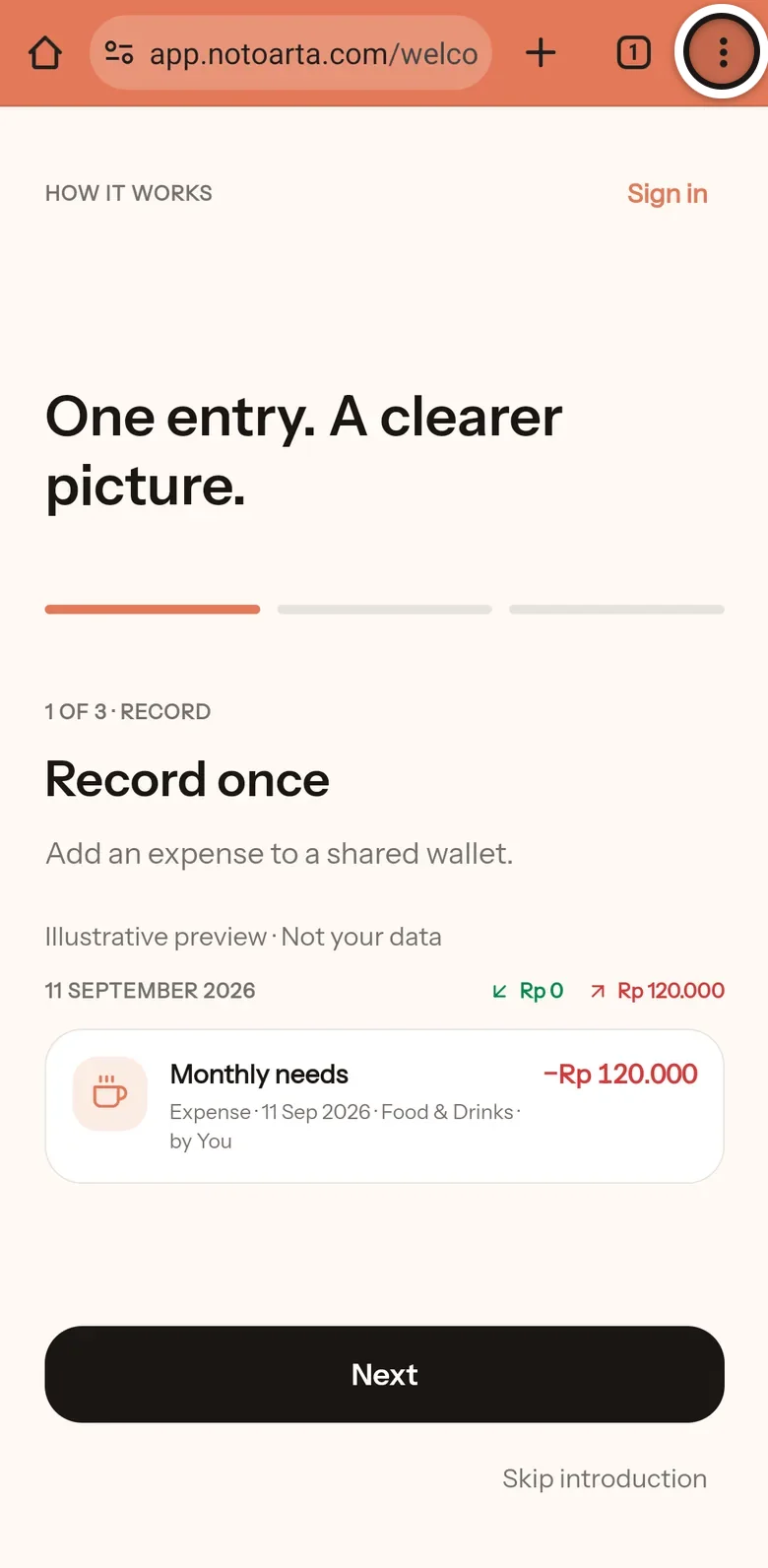
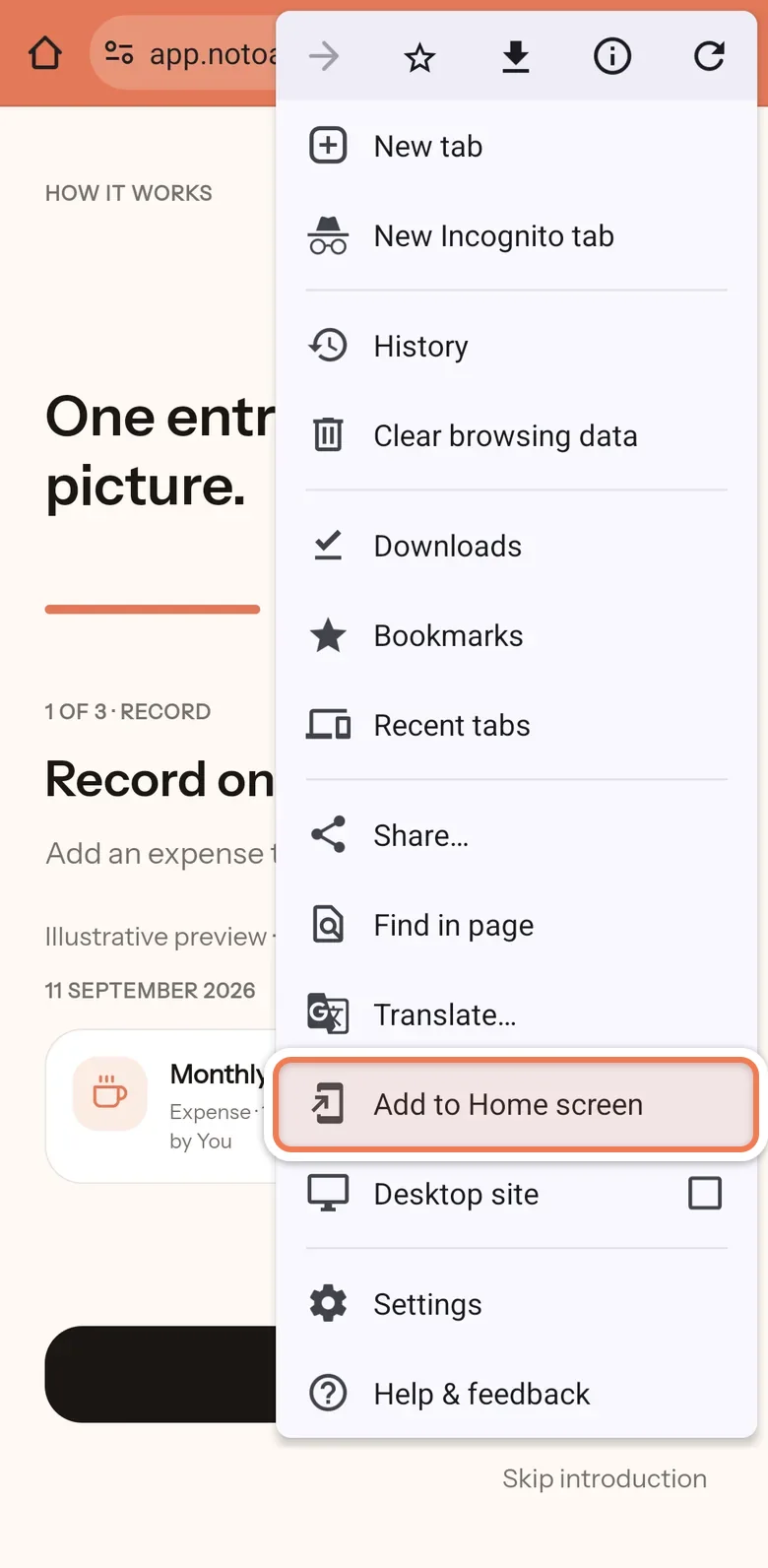
Open app.notoarta.com in Chrome, then tap the three-dot menu in the top right.
-
Choose Add to Home screen. On some phones it says Install app instead. Either one works.
-
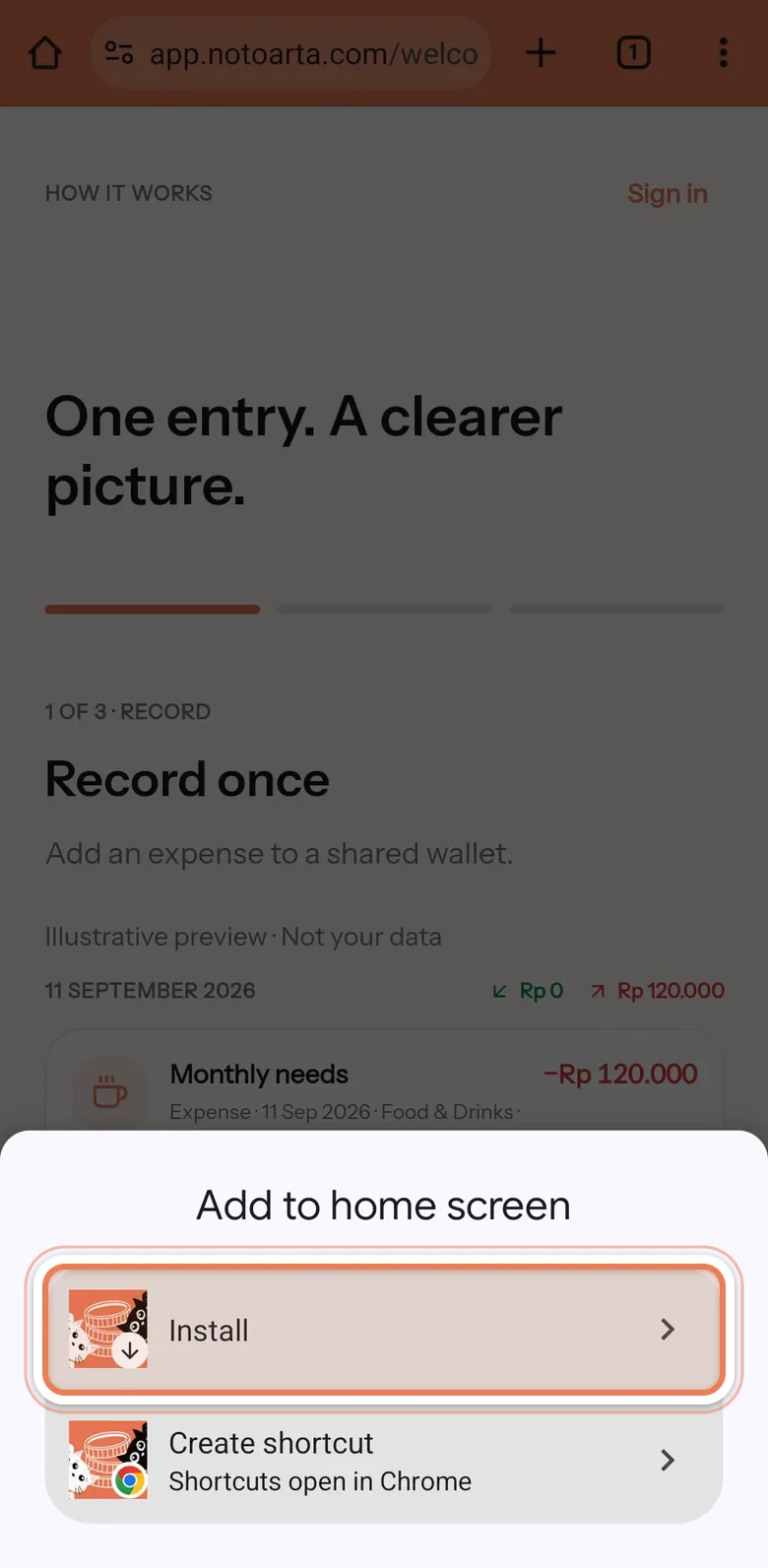
If you see Install and Create shortcut, choose Install. A shortcut only opens the page in Chrome, not as an app.
-
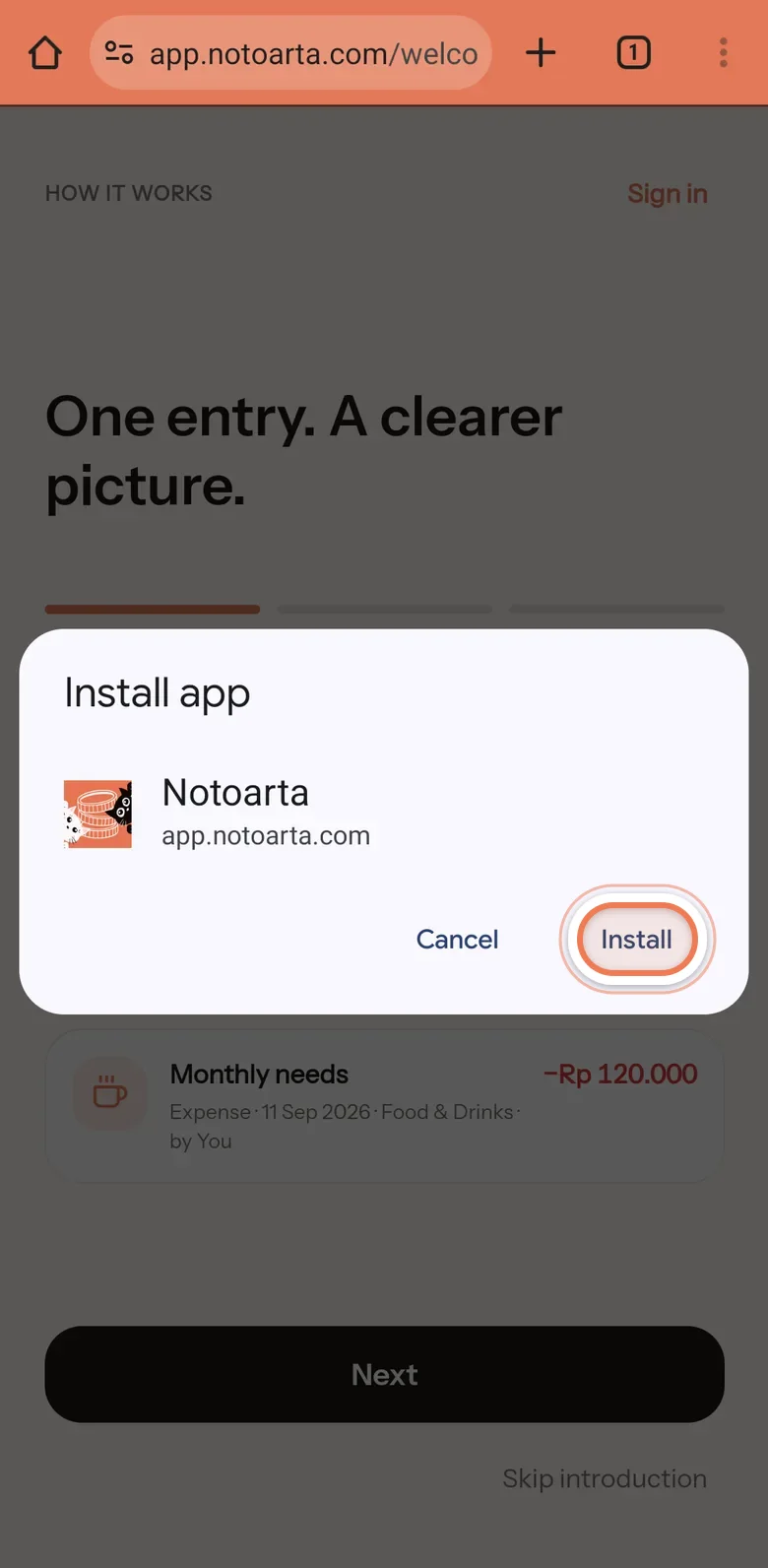
In the Install app box, tap Install.
-
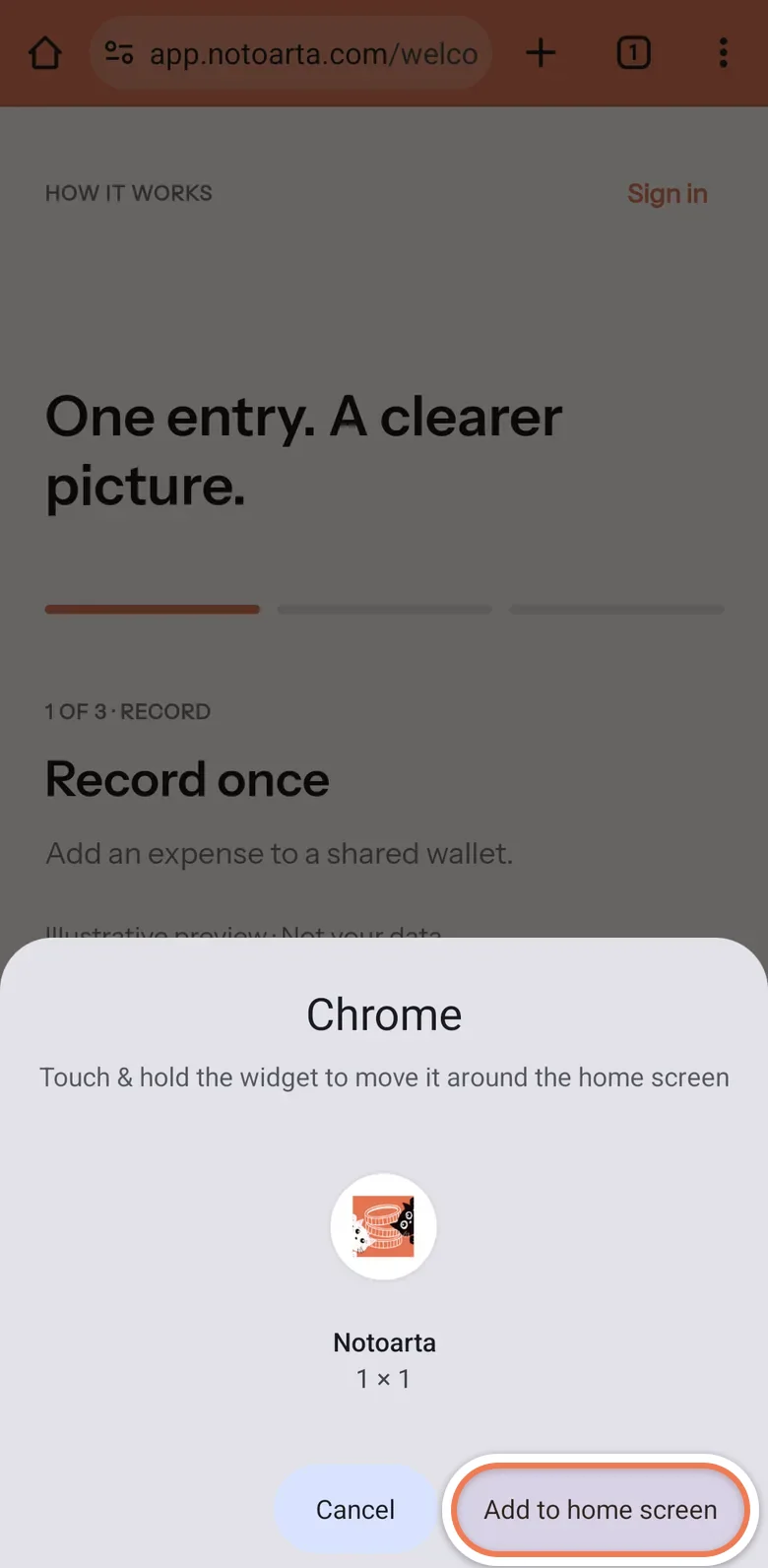
If your phone asks once more, tap Add to home screen.
-
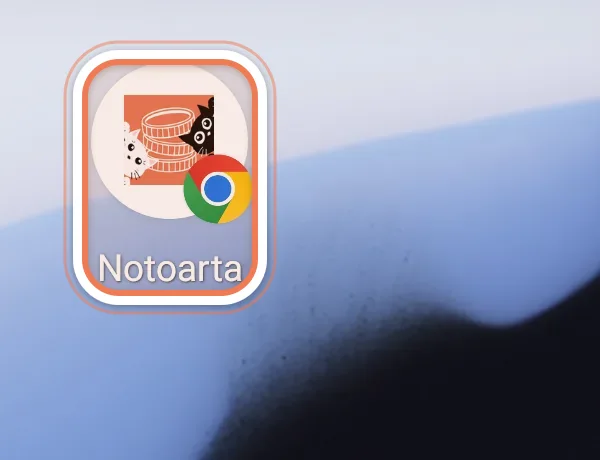
Done. The Notoarta icon is now on your home screen. From now on, open it from there.
Play Store and App Store versions
Section titled “Play Store and App Store versions”In preparation. Until then, the steps above are all you need, and your data is the same wherever you open it.