
Space and members
Space settings
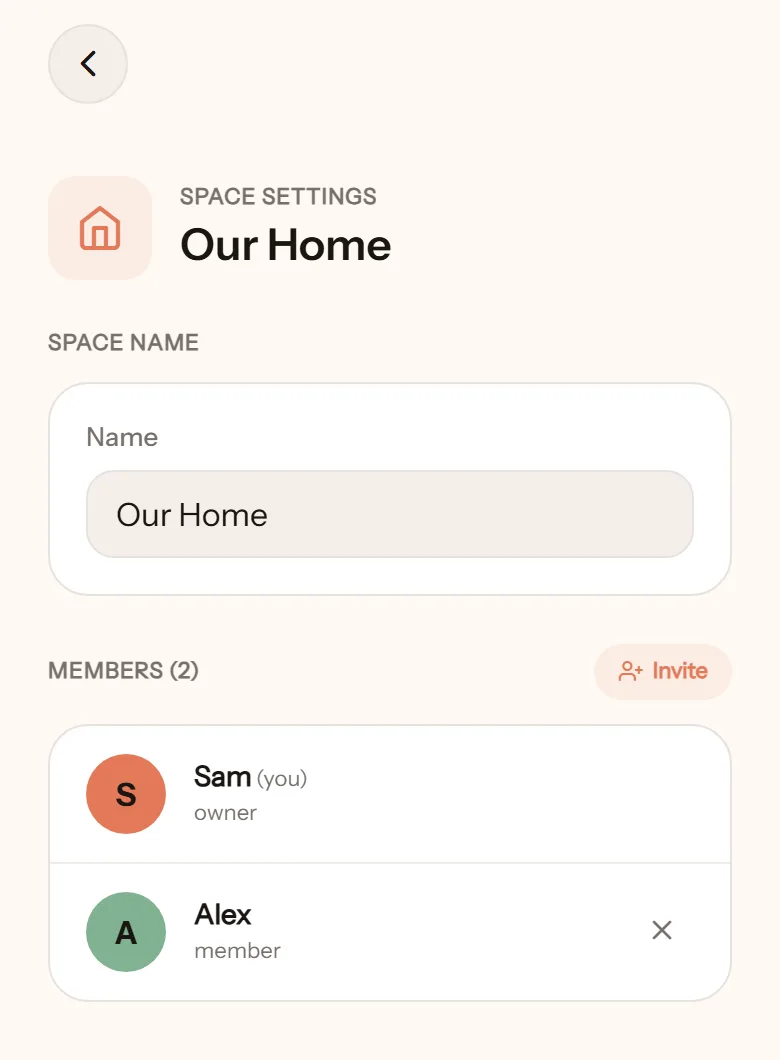
Section titled “Space settings”Open Settings, tap your space’s name.
- Space name: change it any time, for example to Our Home.
- Members: who is in the space, with their role (owner, admin, member).
- Invite: send a new invite. See Invite your partner.
- Remove member: they lose access to this space immediately. What they already wrote in shared wallets stays.
More than one space
Section titled “More than one space”One space is usually enough. But if you need it, create a separate one: a holiday fund with friends, a side project, or a second household managed separately. Each space has its own wallets, budgets, categories, and members.
- Tap the space name on the home screen to open the space switcher.
- Tap Create new space.
- Name it, pick a currency, tap Create space.
Switch between spaces with the same switcher.
Deactivating a space
Section titled “Deactivating a space”Not available yet. If you need a space deleted now, contact us through the channel in Privacy.