
Budgets
A budget is a monthly envelope: Food & Drink $600, Transport $150. Every transaction in that category reduces what is left in the envelope.
One rule that is never broken: a budget only informs, it never blocks. If you go over, you can still log. Nobody gets told off.
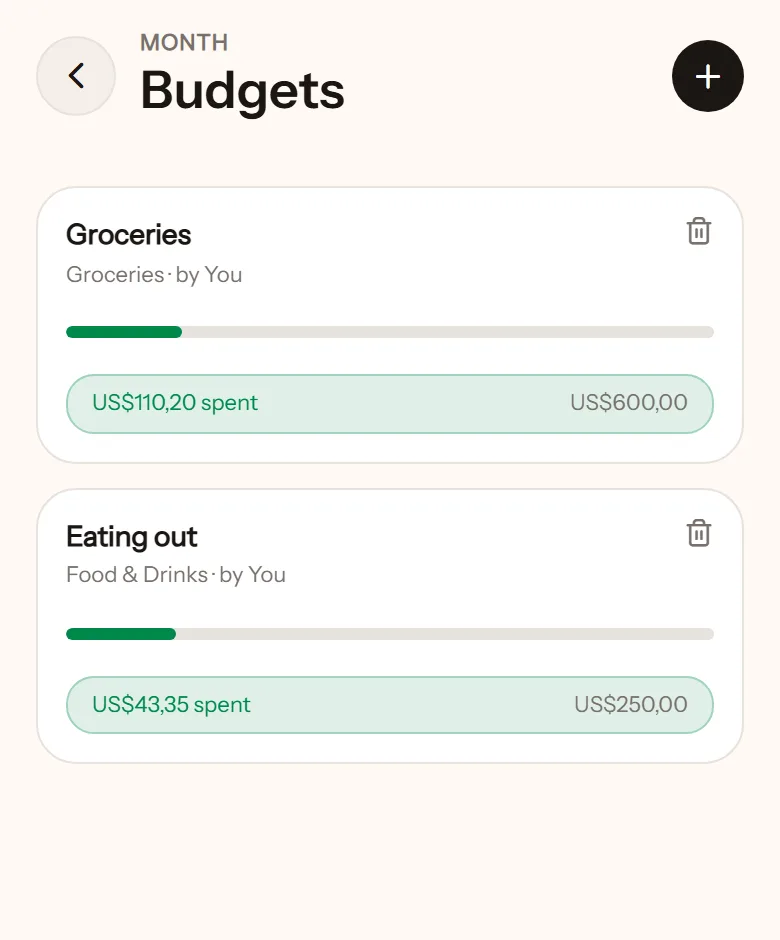
Create a budget
Section titled “Create a budget”- Open Budgets from the home screen, tap +.
- Give it a name, such as Food & Drink.
- Enter the monthly limit.
- Pick which wallets count. Usually the shared ones.
- Pick the categories that go in this envelope. More than one is fine.
- Tap Create budget.
The month follows your payday, not the 1st.
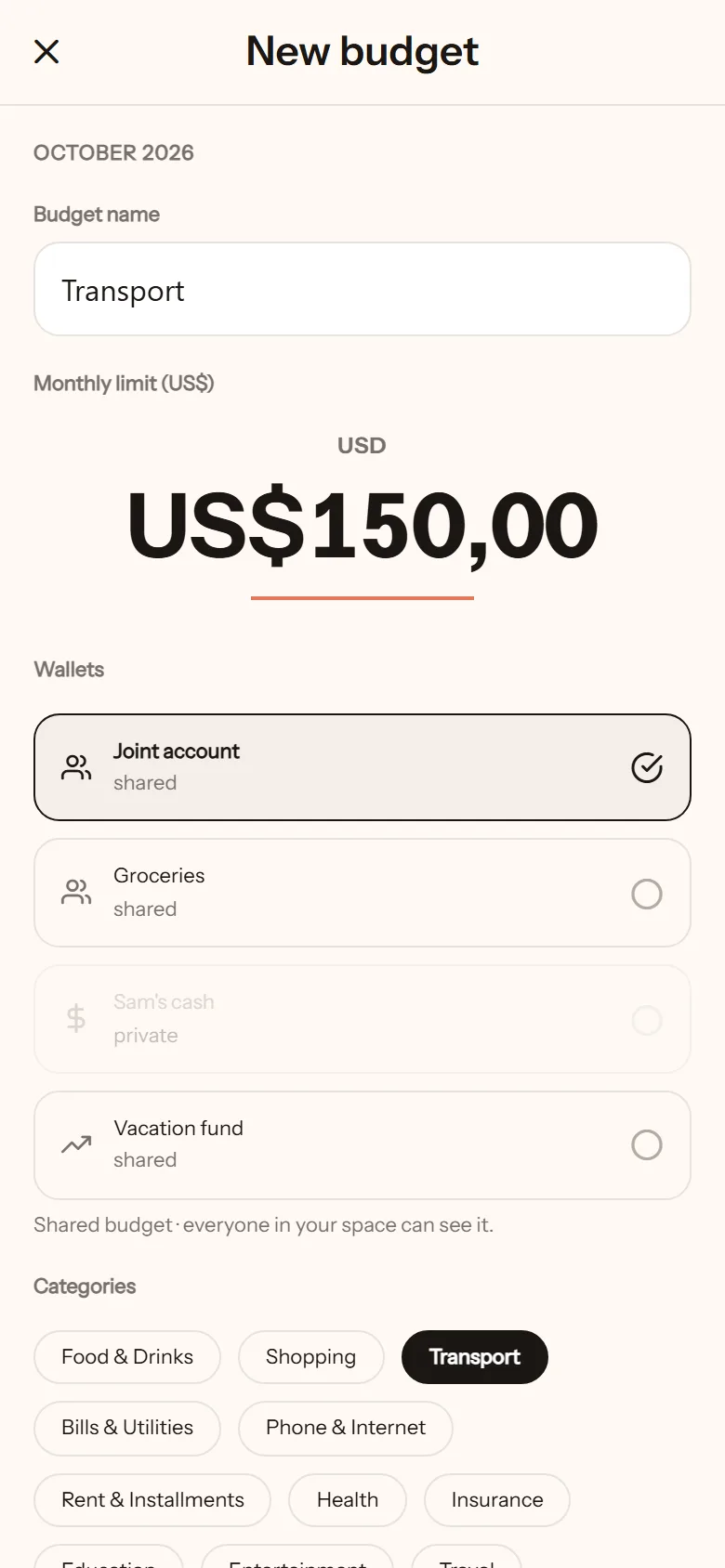
Shared or personal
Section titled “Shared or personal”- Shared budget: seen by everyone in the space. Good for household money.
- Personal budget: only you see it. Good for your own pocket money.
The reminders
Section titled “The reminders”- At 90% used: “The Food & Drink budget is nearly used up, $60 left”.
- Over the limit: “The Food & Drink budget is over its limit”.
Both are just news. The amount never appears on the lock screen, only inside the app. They can be turned off in Notifications.
Who can delete it
Section titled “Who can delete it”Only whoever created it. If your partner made it, ask them to delete it. This keeps a shared envelope from disappearing without the person who set it up knowing.