
Invite your partner
The space is made for two. But your partner may not know what NotoArta is, and a link that shows up out of nowhere on WhatsApp reads like a scam. So the invite has two steps: mention it first, then send the link.
- On the home screen, tap Invite partner. You can also go to space settings, members section, and tap Invite.
- Type your partner’s email. The invite is also emailed to this address, as a backup. For now, that email is written in Bahasa Indonesia, which is one more reason to mention it first in your own words.
- Tap Create invite.
Step 1: mention it first
Section titled “Step 1: mention it first”Two ready-made messages, neither with a link yet:
- Warm: “Love, I started keeping our money in one place on NotoArta. So neither of us has to guess where it went. I’ll send you the link in a sec.”
- Practical: “From this month let’s track our money together. I’ve set the space up, you just need to join.”
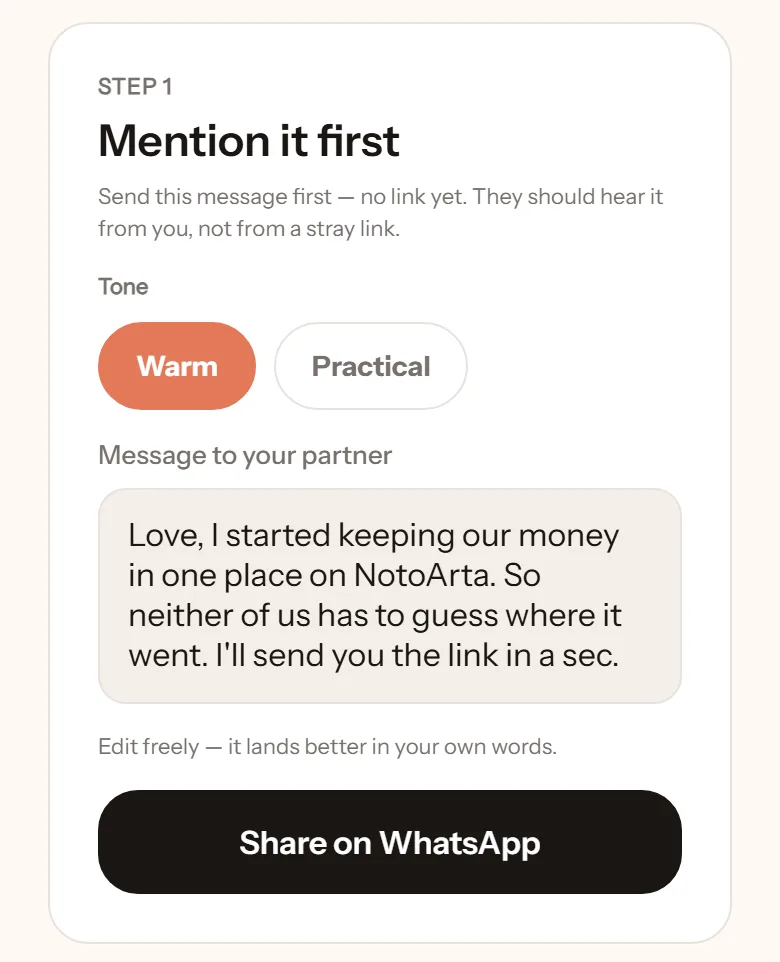
The message is fully editable. It is better in your own words. Tap Share on WhatsApp.
Step 2: then send the link
Section titled “Step 2: then send the link”Once they know, tap Send link on WhatsApp, or Copy link to send it another way.
How long is the invite valid?
Section titled “How long is the invite valid?”There is an expiry date, shown in the invite list. If it has passed, tap Re-invite. Wrong email? Tap Revoke, then create a new invite.