Wallets
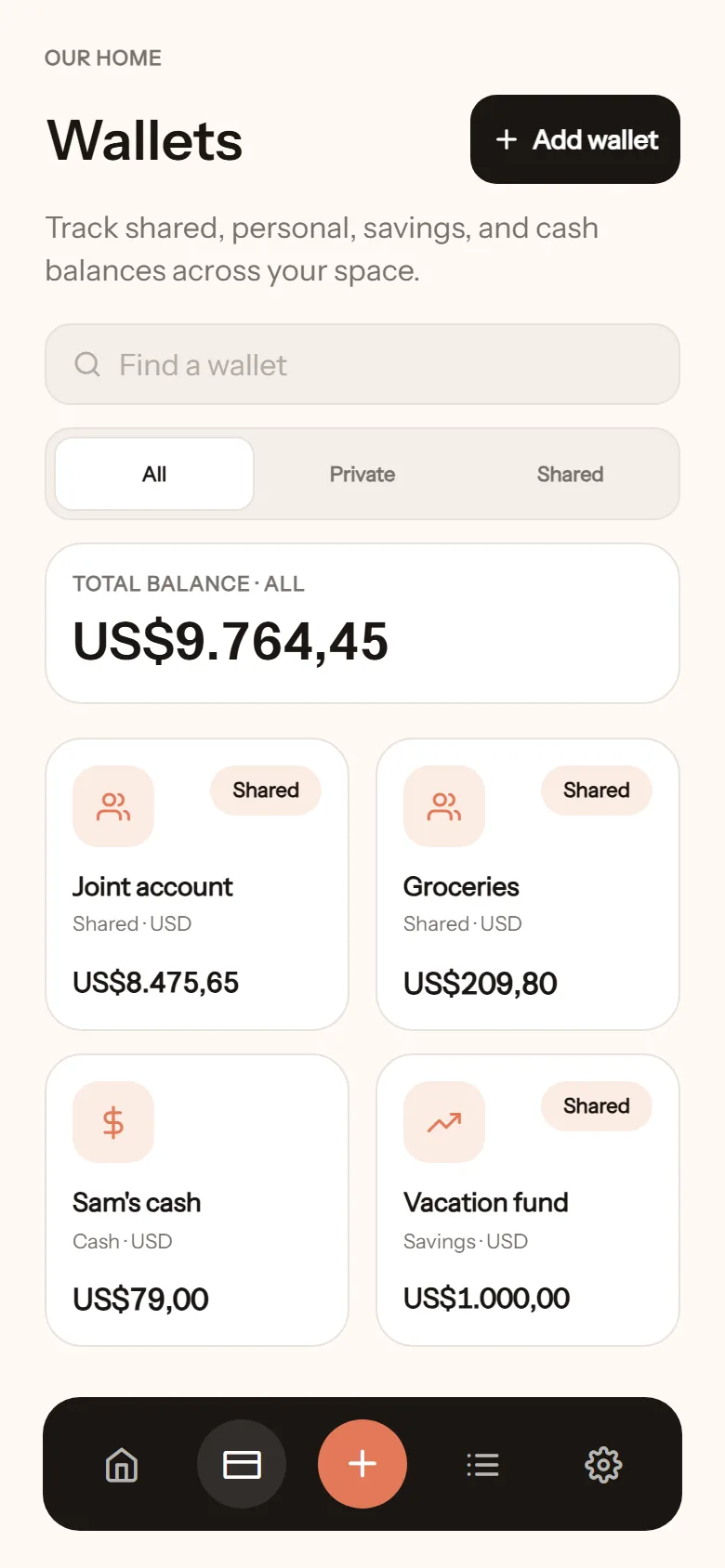
A wallet is where the money is: a bank account, cash, e-money, savings. Every transaction always belongs to one wallet.
Create a wallet
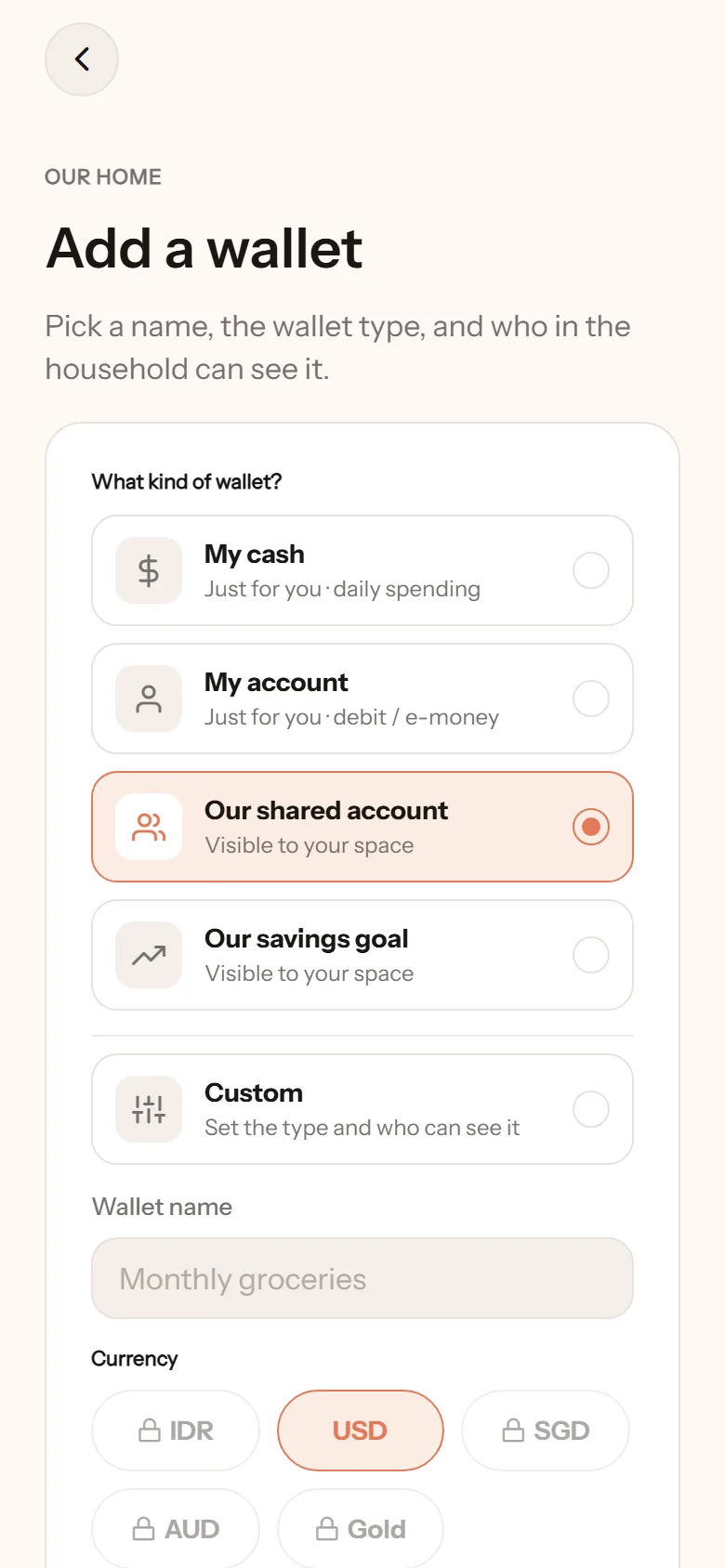
Section titled “Create a wallet”- Open the Wallets tab, tap Add wallet.
- Pick a type. There are quick picks:
- My cash: for you, daily spending.
- My account: for you, debit or e-money.
- Our shared account: visible in your space.
- Our savings goal: visible in your space.
- Custom: set the type and access yourself.
- Give it a name, such as Monthly groceries or Sarah’s pocket money.
- Enter a starting balance if there is one. Zero is fine.
- Tap Create wallet.
Wallet types
Section titled “Wallet types”| Type | For |
|---|---|
| Shared | Household money: monthly groceries, the joint account |
| Personal | Your own money: pocket money, a personal account |
| Savings | Saving for something. Can be linked to a Goal |
| Cash | Money in your physical wallet |
Who can see it
Section titled “Who can see it”- Shared: everyone in the space can see and log into this wallet.
- Private: only you. Your partner sees neither the balance nor the transactions.
- Limited: only the members you choose.
You always have access to wallets you created. This setting can be changed in the wallet’s settings.
Balance and totals
Section titled “Balance and totals”The total on the home screen adds up the wallets you can see. If there is a wallet you do not want counted (an emergency fund you set aside on purpose, for instance), turn on Exclude from totals & analysis in its settings.
Archive
Section titled “Archive”A wallet you no longer use can be archived from its settings. The history stays, read-only. In the Wallets tab, tap Show archived to see it again.
Other currencies and gold
Section titled “Other currencies and gold”Wallets in a currency other than the space’s main one, including gold in grams, are part of the paid plan. Their totals are converted to the main currency using the latest rate or gold price. If the pass ends, existing wallets remain visible and counted, but their transactions become read only until the paid plan is active again.