
Create your first space
Everything in NotoArta lives inside a space. One space is usually one household: its wallets, transactions, budgets, and members are all in there.
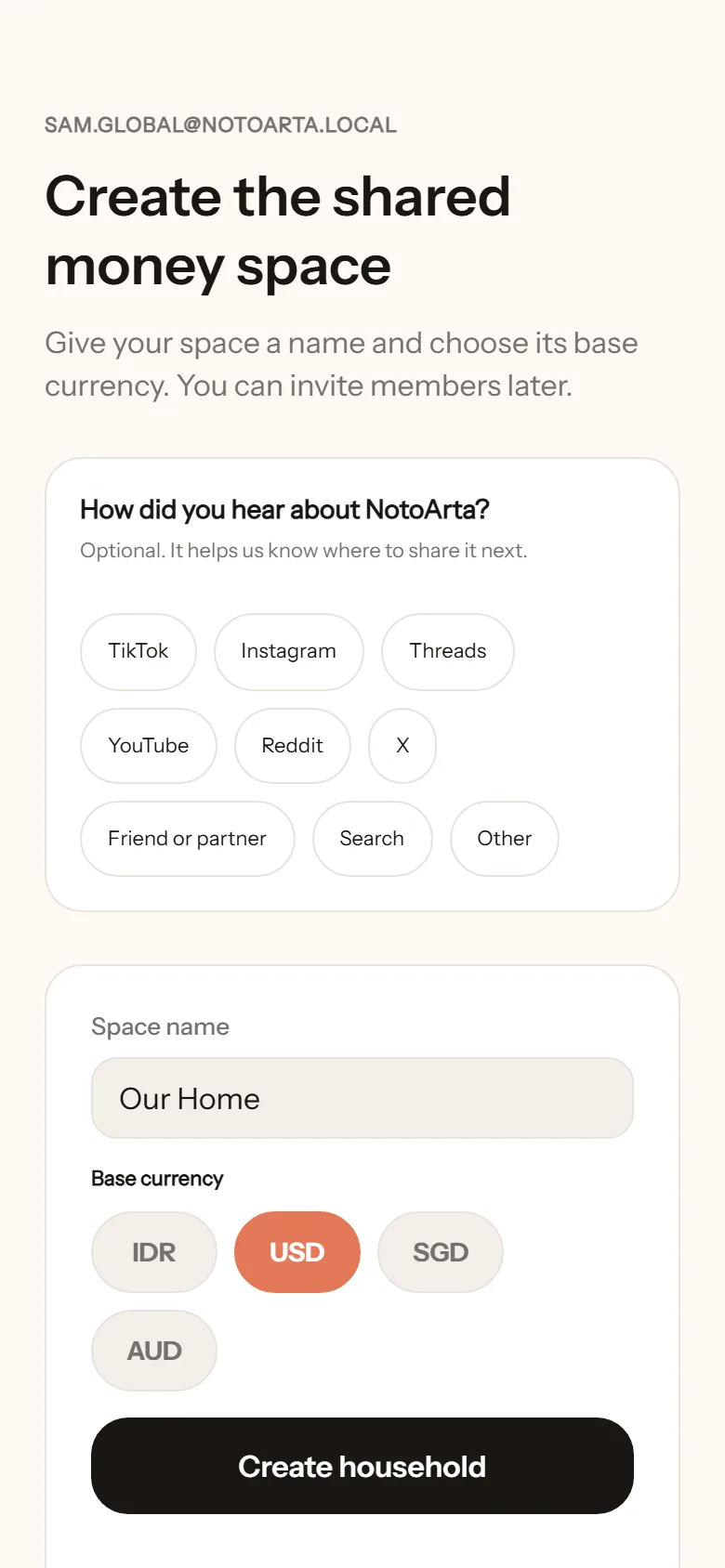
- After your first sign-in, you are taken straight to creating a space.
- Fill in the Space name. Anything you like, such as Our Home or Sam & Alex.
- Pick the Base currency: US Dollar (USD), Singapore Dollar (SGD), Australian Dollar (AUD), or Indonesian Rupiah (IDR). Choose the one you spend in day to day. It is used for every total in this space.
- Tap Create household.
Then there are two small tasks so the notes come alive right away:
- Create the first wallet. Usually a shared one, such as Monthly groceries. See Wallets.
- Log the first income. This month’s salary, for example. From there the balance starts to show.
Payday
Section titled “Payday”A money month in NotoArta does not have to start on the 1st. If you get paid on the 25th, set Shared month start to the 25th in settings. Budgets and insights follow that rhythm. See Payday.
Can I start alone?
Section titled “Can I start alone?”Yes. Every feature works for one person. You can invite your partner any time from the home screen, through the Invite partner button.